
Editing a 6-digit note
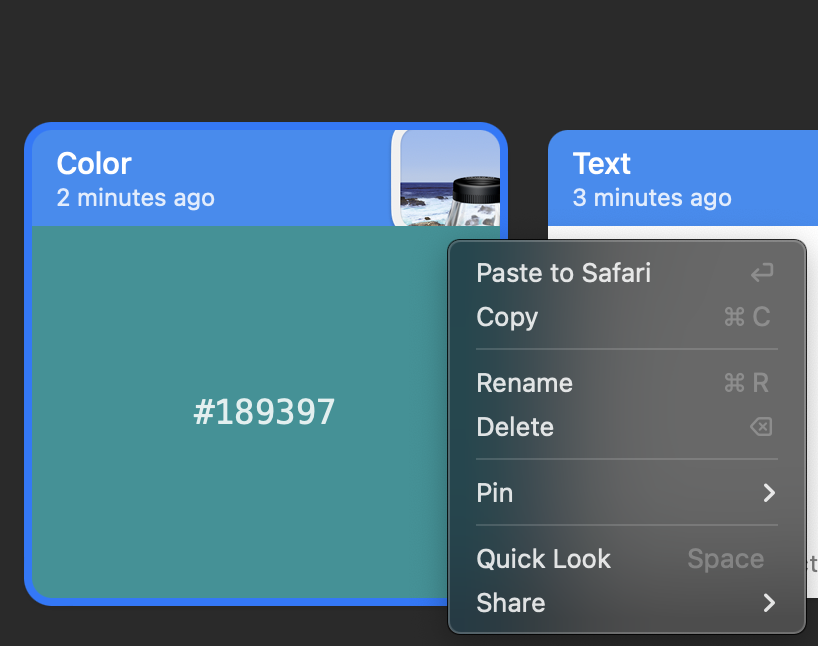
Unfortunately when a 6-digit number is copied it gets automatically recognized as a color, which is fine, but there is no option to transform it to a 'text' Paste or edit such entry at all. In my case it wasn't supposed to be a hex color but instead just a 6-digit number (without the # part), and definitely in plain text.
Comments (3)
- MO
Malcolm Ocean · Jul 25, 2024
oh yeah this is silly, it should only do that if there's a # in the copied text imo
- MH
Molly Hutt · Mar 2, 2025
I agree that a number reformatting feature is necessary, but I must say I've stumbled across some lovely colors this way. Actually, number formatting a la Google Sheets would be handy.
- HC
Harel Capricorn · Nov 5, 2025
As a front end developer and designer I often copy colors from Figma and style files without # and I also use Paste tabs to organise the colors per client brands, so not having to think about a color having a # or not is a huge time saver for me in my workflow as I can immediately spot the color I need. The best part is I get to name them for quick search. Absolutely love this feature.