
Present the URL text for link items using more than one line
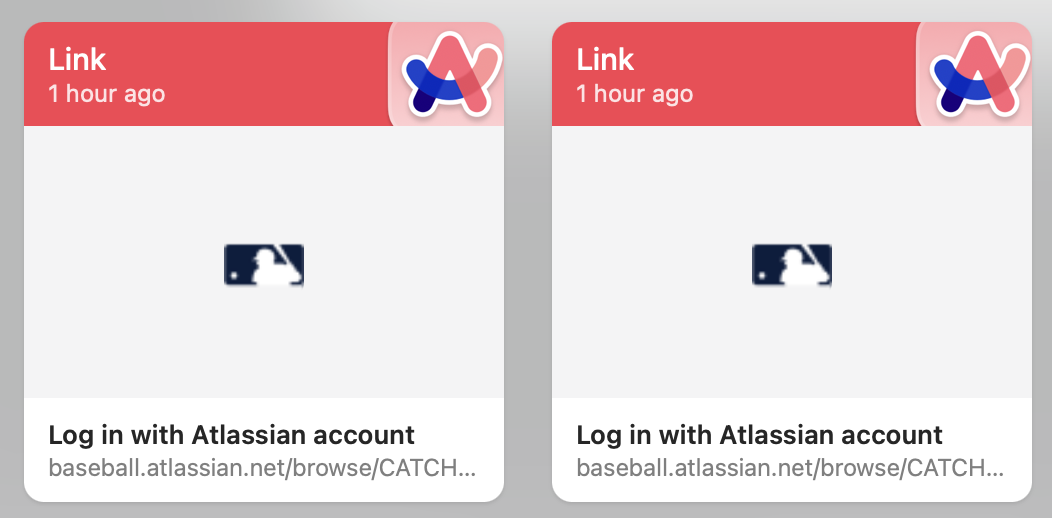
I regularly copy and paste Jira links. Paste does not know how to log in to my company's Jira, so the website preview is unhelpful. Quicklook preview is unhelpful, for the same reason, and because only the domain appears in the preview. The text of the item in Paste, itself, is unhelpful, because it truncates before the number of the ticket, like "baseball.atlassian.net/browse/PROJECT..." Paste leaves me to fumble around in the dark, pasting optimistically which rarely works out well and reorders the items making it impossible to keep anything straight in my head, or to go back and re-copy the link. That is a specific example of a very general problem. Paste uses an extraordinary amount of screen space with its airy design to be this stingy with an extra line or few of text that contains the critical information. I have the same problem with Slack, but those URLs are meaningless, so seeing the entire URL doesn't help. The only thing that helps in that case is Paste knowing how to authenticate to services and present a meaningful preview. But that's a different issue. Please use 2-3 lines of text to present the URL of a link item, regardless of whether the item has a title or not. Perhaps do not truncate the URL at all. Perhaps provide a user setting for this preference. Oh, now I see that Paste does present the URL text on two lines, sometimes, only if there is no page title to display, or if the link receives a failure response (I can't be sure exactly how this works). I'll add that these Jira items have a title "Log in with Atlassian account", which of course doesn't contain any helpful information and causes the information that _is_ helpful to be presented on a single line and lost to truncation.
Comments (1)
- MH
Molly Hutt · Jul 16, 2024
I would like to see/edit the plaintext version of any link, as in older versions. Sometimes, I want to edit the links before pinning, paste them somewhere where inline editing is difficult (especially on mobile), or just pick out a specific bit of information. Once I've closed the tab, the only way I can do that is to re-open it. That gets clunky fast, not to mention distracting. Other times, the unexpanded preview is too vague to see from a glance which page it leads to (I'm looking at you, Reddit 😑). Opening each preview is slow. Usually, I end up pasting to a third app (whichever is most convenient), editing there, and copying back to Paste.