Making the most of iOS 27's new paste button
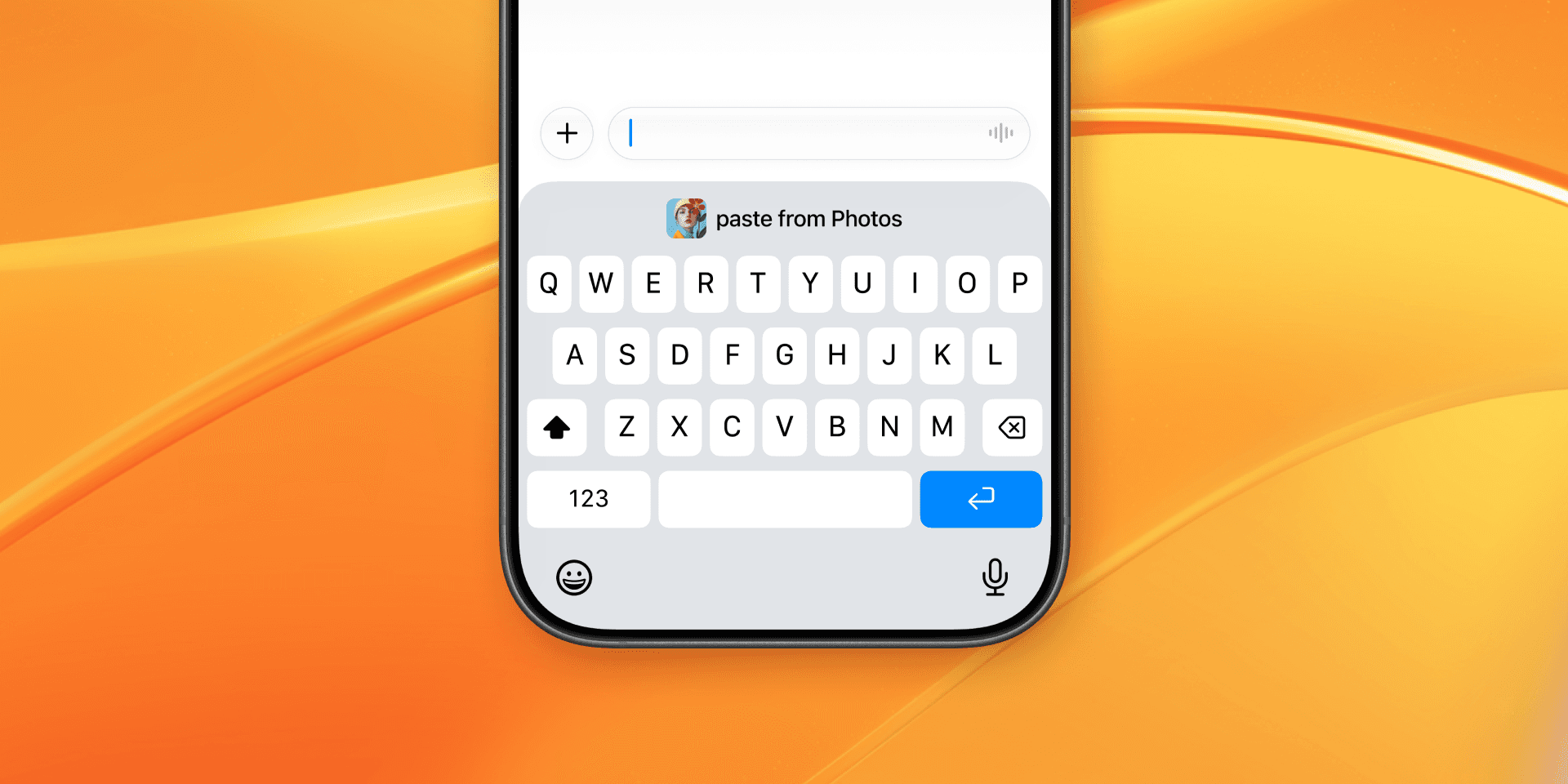
Copying and pasting on the iPhone just got quicker. In iOS 27, the keyboard shows a paste button the moment you copy something, so dropping it into a message or a search field takes a single tap. It's a small, genuinely useful change, the kind you stop noticing because it just works.
If you copy one thing at a time, that's all you need. But plenty of us copy in bursts, a phone number, then a link, then an address, or copy on the Mac and reach for it later on the phone. That's where having a clipboard that remembers more than your last copy starts to matter.
A paste button right on the keyboard
When you copy text or an image, iOS 27 shows a paste suggestion in the bar above the keys, where the QuickType word suggestions usually appear. Tap it and the copied content drops straight into your message, email, or search field. No long-pressing the field and picking Paste from the menu.
It's the kind of small refinement that adds up over a day, since pasting is something you do constantly. If you've used Gboard on Android, it will feel familiar. Apple announced iOS 27 at WWDC 2026 and released it on September 14, 2026, so the paste button is there as soon as you update. (Hands-on at Macworld.)
Built around your most recent copy
The paste button always offers the last thing you copied. Copy something new and it updates to that instead. It's built around the most common case by far: quickly reusing the thing you just copied.
What it holds is a single item at a time, the way the iPhone clipboard always has. There's no list of earlier copies to scroll or search, so the link you grabbed this morning, or the few snippets you lined up before this one, aren't waiting for you once you've moved on.
A clipboard that remembers more
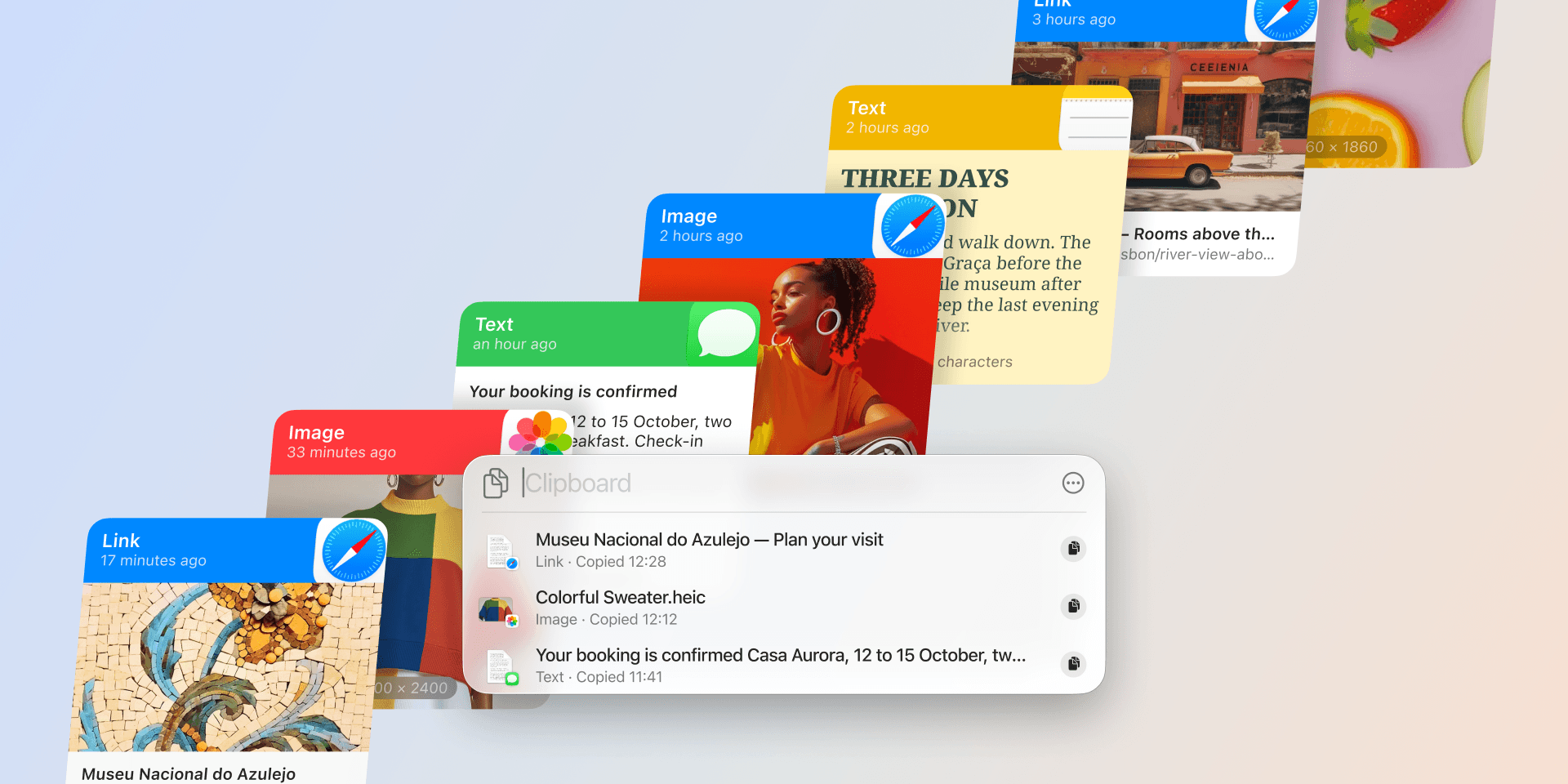
For the moments you need more than your last copy, a dedicated clipboard fills in the rest. Paste builds a searchable history of what you copy and syncs it across your Mac, iPhone, and iPad through your private iCloud. The snippets you reach for all day, like an email signature, an address, or a block of code, live on pinboards a tap away.
How a copy gets there depends on the device. On the Mac, Paste runs in the background and saves each copy automatically. iPhone works a little differently, because iOS doesn't let apps read the clipboard in the background. There you bring a copy into Paste yourself, and it takes one tap: open Paste after you copy, copy with the Paste keyboard, or send something in with the Share to Paste extension. From there it lives in your history, on every device.
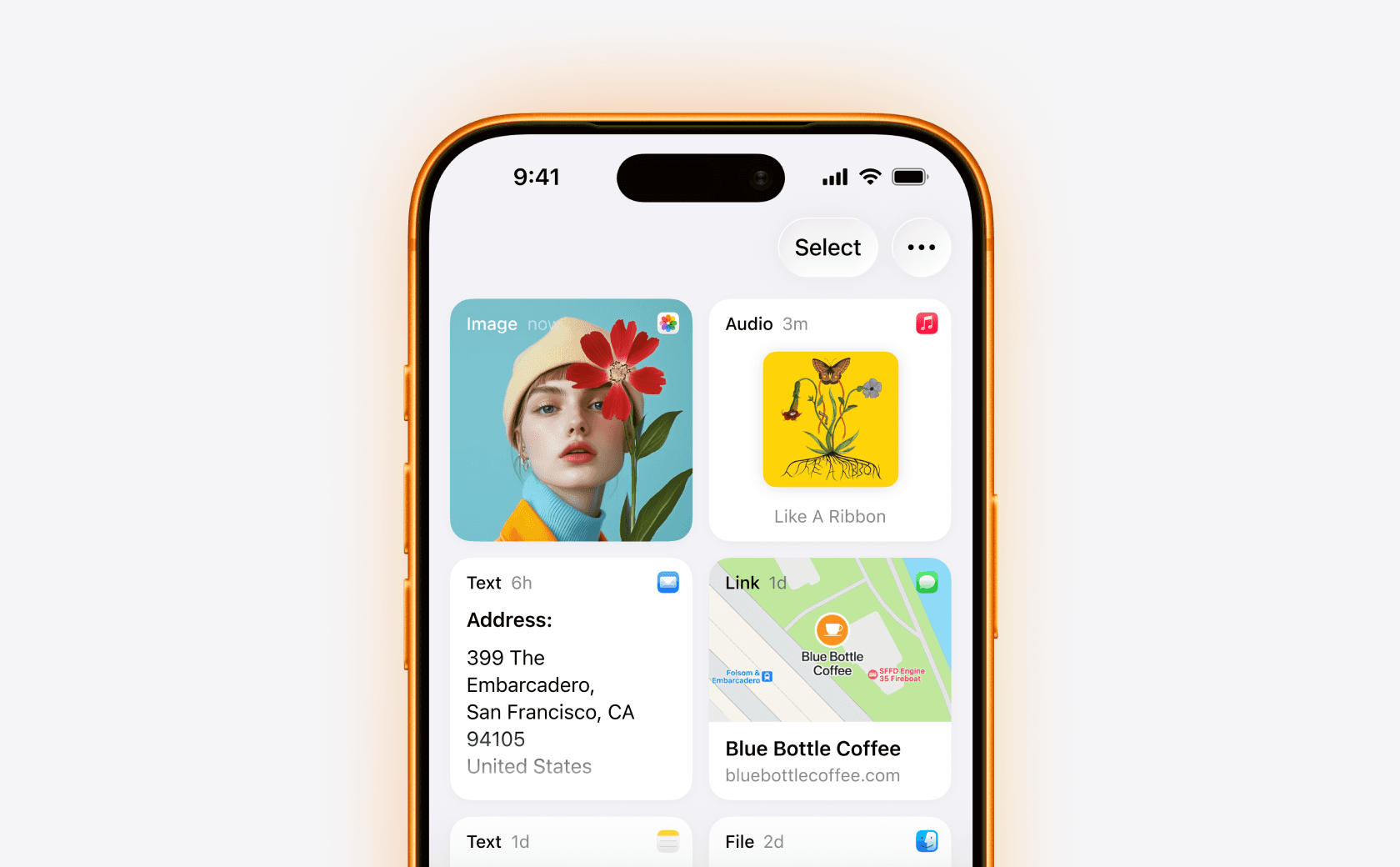
So a link you saved an hour ago is still there, and so is the one from yesterday. Here is how clipboard history works on iPhone in more detail.
Notes now speaks Markdown
iOS 27 also changes what Notes puts on the clipboard. Markdown is a plain-text way to write formatting, like # in front of a heading or - in front of a list item, and many writing apps, code editors, and chat tools read it. Notes now converts in both directions, so a note can move into those apps and back without losing its structure:
- Copy as Markdown. Select text in a note and open the edit menu. A new Copy as Markdown item puts the selection on the clipboard as Markdown, with its headings and lists written out. (9to5Mac)
- Paste Markdown into Notes. Paste Markdown into a note and it appears as formatted headings, lists, and more.
Notes on the Mac gets both in macOS 27, where Copy as Markdown sits in the Edit menu. (Apple's Notes guide for Mac)
A Markdown copy is still a copy, so it goes into your Paste history like any other. Copy a note once and you can paste it into a second app later without going back to Notes.
Which one fits your workflow
If you mostly reuse the thing you just copied, the iOS 27 paste button is all you need, and it makes that quicker than before. If you copy in bursts through the day, or move between your iPhone, iPad, and Mac, a full clipboard history saves you the trips back to wherever things came from. The two work nicely together: the native button for your last copy, Paste for everything else.
Paste has been doing this on Apple devices since 2015, and it keeps growing. The most recent addition is Paste MCP, which connects your clipboard history to AI tools like Claude and Cursor.
Try Paste free on the App Store. It works the moment you install it, across your iPhone, iPad, and Mac.